Intro to Computer Science
Full-Year Foundations Course (Grades 9–12)
Select the appropriate license tier for your school or district. All licenses include 12 months of access and full curriculum materials.
Course Overview
A full-year foundations sequence built for beginners: computational thinking first, then Python with a strong focus on tracing, debugging, and reasoning.
Unit Topics
Algorithms • Data & Representation • Internet & Systems • Cyber & Ethics • Python Foundations • Conditionals & Loops • Lists & Functions • Debugging • Mini Projects • Capstone
Flexible Pacing
Designed for a full year, but units can be implemented as a semester course or used as modular plug-and-play content.
Low-Tech Friendly
Worksheet-driven lessons support classrooms with limited devices while still building real CS thinking.
Course Content
- Teacher Guide Intro to Computer Science
- Lesson 1.1 — What Is Computer Science
- Lesson 1.2 — Computers in Everyday Life
- Lesson 1.3 — Algorithms and Instructions
- Lesson 1.4 — Humans vs Computers
- Unit 1 Quiz — What Is Computer Science
- Unit 1 Mini Project — Computer Science in My World
- Lesson 2.1 — Decomposition (Computational Thinking)
- Lesson 2.2 — Pattern Recognition (Computational Thinking)
- Lesson 2.3 — Abstraction (Computational Thinking)
- Lesson 2.4 — Computational Thinking in Action
- Unit 2 Quiz — Computational Thinking
- Unit 2 Mini Project — Computational Thinking Challenge
- Lesson 3.1 — Data vs Information
- Lesson 3.2 — Input, Processing, Output (IPO Model)
- Lesson 3.3 — Binary Basics (How Computers Store Data)
- Lesson 3.4 — Hardware vs Software
- Unit 3 Quiz — Data, Information, and Digital Systems
- Unit 3 Mini Project — Designing a Digital System
- Lesson 4.1 — What Is the Internet (Network of Networks)
- Lesson 4.2 — Sending Information Online
- Lesson 4.3 — Servers, Clients, and Websites
- Lesson 4.4 — Reliability and Speed (How the Internet Stays Online)
- Unit 4 Quiz — The Internet & Digital Communication
- Unit 4 Mini Project — Designing a Reliable Communication System
- Lesson 5.1 — What Is a Program (Algorithms vs Programs)
- Lesson 5.2 — Syntax vs Logic (Debugging Basics Python Lite)
- Lesson 5.3 — Writing Pseudocode (Planning Programs Python Lite)
- Lesson 5.4 — Debugging Logical Errors (Pseudocode Reasoning)
- Unit 5 Quiz — Programming Foundations
- Unit 5 Mini Project — Program Planning & Debugging
- Lesson 6.1 — What Is a Variable (Python Basics)
- Lesson 6.2 — Common Data Types (Python Basics)
- Lesson 6.3 — Updating Variables with Input & Output (Python)
- Lesson 6.4 — Variable Tracing & Program Flow (Python Reasoning)
- Unit 6 Quiz — Variables & Data Types (Python)
- Unit 6 Mini Project — Interactive Program Using Variables (Python)
- Lesson 7.1 — Boolean Logic & Conditions (Python)
- Lesson 7.2 — If Statements (Python)
- Lesson 7.3 — If Else Logic (Python)
- Lesson 7.4 — Nested Decisions (Python)
- Unit 7 Quiz — Conditionals & Decision Making (Python)
- Unit 7 Mini Project — Decision-Based Interactive Program (Python)
- Lesson 8.1 — Why Loops Matter (Python)
- Lesson 8.2 — Counting Loops (Python)
- Lesson 8.3 — Condition-Based Loops (Python)
- Lesson 8.4 — Loop Tracing and Debugging (Python)
- Unit 8 Quiz — Loops and Repetition (Python)
- Unit 8 Mini Project — Loop-Driven Program (Python)
- Lesson 9.1 — Types of Errors (Python)
- Lesson 9.2 — Debugging Strategies (Python)
- Lesson 9.3 — Testing Programs (Python)
- Lesson 9.4 — Learning from Mistakes (Python)
- Unit 9 Quiz — Debugging & Problem Solving (Python)
- Unit 9 Mini Project — Debugging & Testing Challenge (Python)
- Lesson 10.1 — Digital Footprints
- Lesson 10.2 — Privacy and Security
- Lesson 10.3 — Bias in Technology
- Lesson 10.4 — Responsible Computing
- Unit 10 Quiz — Ethics, Safety, and Responsible Computing
- Unit 10 Mini Project — Responsible Technology Decision Making
- Lesson 11.1 — CS Career Paths
- Lesson 11.2 — Skills for CS Careers
- Lesson 11.3 — Education and Training Pathways
- Lesson 11.4 — Personal Career Reflection
- Unit 11 Mini Project — My Computer Science Career Plan
- Unit 11 Quiz — Careers, Skills, and Pathways
- Lesson 12.1 — Defining a Problem (Capstone Project Launch)
- Lesson 12.2 — Breaking the Problem Down (Capstone Project)
- Lesson 12.3 — Designing a Solution (Capstone Project)
- Lesson 12.4 — Testing & Improving a Solution (Capstone Project)
- Unit 12 Capstone Project — Solving a Real-World Problem
Choose Your License Tier
Select the plan that matches your number of campuses, then click Buy now.
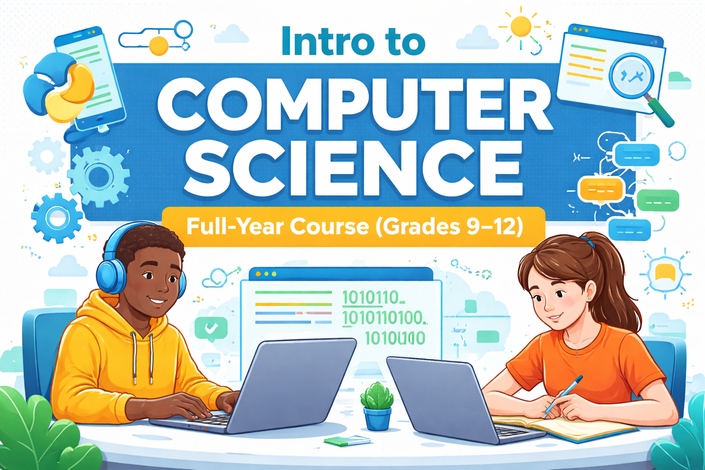
Intro to Computer Science
Full-Year Curriculum License (Grades 9–12)
A complete, full-year Intro to Computer Science curriculum for Grades 9–12 designed for consistent implementation across classrooms and campuses.
Students build computational thinking, problem-solving skills, algorithmic reasoning, and foundational Python programming knowledge across 12 scaffolded units.
Designed for consistent implementation across classrooms and campuses, with structured lessons, teacher guides, assessments with answer keys, and a capstone project. Flexible for limited-technology environments.
What You Get
- 12 scaffolded foundational CS units
- Student worksheets + teacher guides
- Unit assessments + answer keys
- Capstone project
- Print-ready, classroom-tested format
License Structure
- Pricing based on number of campuses
- Unlimited teacher access per licensed site
- District-wide implementation supported
- Purchase Orders accepted
- For PO inquiries: mrh@mrhcodes.com
Implementation Support
- Curriculum pacing guidance
- Unit sequencing recommendations
- Teacher onboarding support
- Direct email access for implementation questions
Quick FAQ
How long is access?
Each license includes 12 months of access from the purchase date.
Can I share with multiple teachers?
Yes, within the licensed campus(es). Unlimited teacher access at approved sites.
Need help?
Email mrh@mrhcodes.com and I’ll help you choose the correct tier.